Data loss is one of the most common and frustrating issues that both individuals and businesses can face. Whether it’s due to accidental formatting, a system crash, or a virus attack, losing important files can be a major setback. One of the most frequently asked questions is: Is there any way to recover data from a formatted hard drive? The short answer is yes, but the process can be complex and depends on several factors. At Dataromics, a leading data recovery service provider in Melbourne, we specialize in recovering data from even the most challenging scenarios, including formatted hard drives.
Understanding Hard Drive Formatting
Before diving into the recovery process, it’s important to understand what happens when you format a hard drive. Formatting a hard drive essentially prepares the storage device for use by setting up a new file system. This process typically involves erasing the data on the drive, which can make it seem like your files are gone forever. However, in many cases, the data isn’t immediately wiped out. Instead, the space that was previously occupied by your files is marked as available for new data to be written over it. Until this space is overwritten, the original data may still be recoverable.
Factors That Affect Data Recovery Success
The success of recovering data from a formatted hard drive largely depends on a few key factors:
- Type of Formatting:
- Quick Format: In a quick format, only the file system is reset, and the data remains intact on the disk until it is overwritten. This type of formatting is easier to recover from since the data is still present on the drive.
- Full Format: A full format, on the other hand, goes a step further by erasing all data and scanning the disk for bad sectors. While this process is more thorough, it also makes data recovery more challenging, although not impossible with advanced techniques.
- Activity After Formatting
- The chances of successful data recovery diminish if new data has been written to the drive after formatting. Writing new data can overwrite the old files, making them much harder, if not impossible, to recover.
- The Condition of the Hard Drive
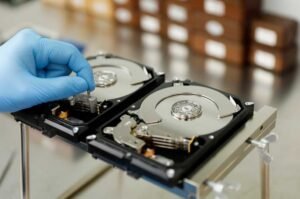
- If the hard drive has suffered physical damage, such as from a fall or water exposure, the recovery process becomes more complicated. In such cases, specialized equipment and techniques are required to retrieve the data.
- Type of Storage Media
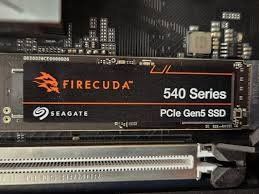
- Whether you are using a traditional hard disk drive (HDD) or a solid-state drive (SSD) can also impact recovery efforts. SSDs, for instance, use a process called TRIM that automatically erases data blocks, making data recovery more difficult compared to HDDs.
Methods for Recovering Data from a Formatted Hard Drive
Now that you understand the factors that influence data recovery success, let’s explore the methods available for recovering data from a formatted hard drive.
- Professional Data Recovery Services
When dealing with a formatted hard drive, one of the safest and most effective options is to seek professional help. At Dataromics, we have state-of-the-art tools and experienced technicians who can recover data from even the most challenging situations. Professional data recovery services are recommended when the data is highly valuable or when DIY methods have failed.
- Data Recovery Software
For less critical situations, you can try using data recovery software. These programs are designed to scan your hard drive for recoverable files and restore them. Popular options include Recuva, EaseUS Data Recovery Wizard, and Stellar Data Recovery.
- Backup and Recovery Solutions
If you’ve been diligent about backing up your data, you might be able to restore your files from a backup. Regular backups are an essential part of any data management strategy and can save you a lot of trouble in case of accidental formatting. Cloud-based solutions, such as Google Drive, OneDrive, or local backup systems like an external hard drive, can be lifesavers when it comes to data recovery.
- Command Line Tools
For tech-savvy users, there are command-line tools that can be used to recover data from a formatted drive. Tools like TestDisk and PhotoRec are open-source programs that work through the command line to scan and recover lost data. These tools require some technical knowledge to use effectively but can be very powerful in the right hands.
Preventing Data Loss in the Future
While data recovery can often be successful, prevention is always better than cure. Here are a few tips to help you avoid data loss in the future:
- Regular Backups: Always keep a backup of important files on a separate storage device or in the cloud. This way, even if you accidentally format your hard drive, your data remains safe.
- Use Reliable Antivirus Software: Protect your system from malware and viruses that can corrupt or erase data by using reputable antivirus software.
- Be Cautious with Formatting: Always double-check before formatting a drive to ensure that it doesn’t contain any important data. If you’re unsure, take the time to back up the data first.
- Keep Your System Updated: Regularly update your operating system and drivers to minimize the risk of data loss due to software malfunctions.
Recovering data from a formatted hard drive is possible, but the process can be complex and requires careful handling to avoid further data loss. Whether you opt for professional data recovery services like those offered by Dataromics or choose to try software-based solutions, the key is to act quickly and avoid writing new data to the drive. If you’re facing a data loss situation, don’t hesitate to reach out to us at Dataromics. Our team of experts in Melbourne is ready to help you recover your valuable data and get your life or business back on track.